Trip day
Share a public trip page, give each driver a link with the live itinerary, arrivals/departures and loading checklist, and print the diagrams for the lot.
Share & diagrams
/webapp/share/trip/{trip} is the hand-off page. It has two kinds of link, both unlisted URLs that need no sign-in:
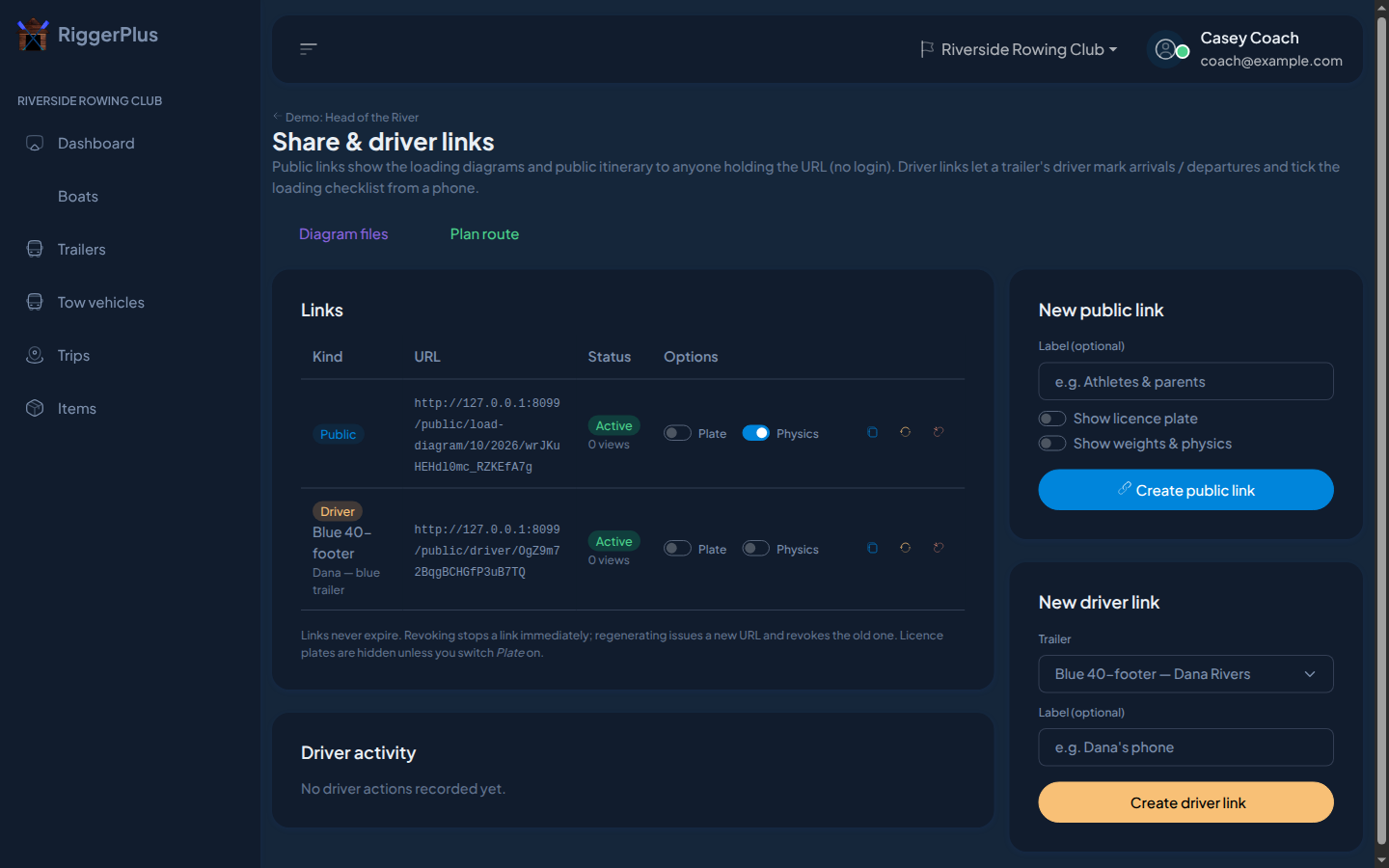
- Public link — one per trip:
/public/load-diagram/{club}/{year}/{slug}. It shows the itinerary (only stops marked Show on the public trip page), each trailer's side-view and top-down diagrams, and the boats on board per leg. Once a route is planned, every stop not yet reached also shows ~miles to go and an ETA, chained from the planned route's legs and the driver's latest arrival / departure stamp (the same line appears on the driver page). The numbers are stored per trip and refreshed at most every 5 minutes, so everyone watching sees the same ETA; they never call TomTom. Toggle whether licence plates and weights & physics are visible. Send it to the team chat. - Driver link — one per trailer:
/public/driver/{slug}. Everything on the public page for that trailer, plus the controls below. Give each driver their own link; a link can be relabelled, disabled or regenerated (the old URL stops working immediately).
Unknown, revoked or disabled links all answer the same neutral "not found" page, so a URL never confirms that a trip exists.
The driver page
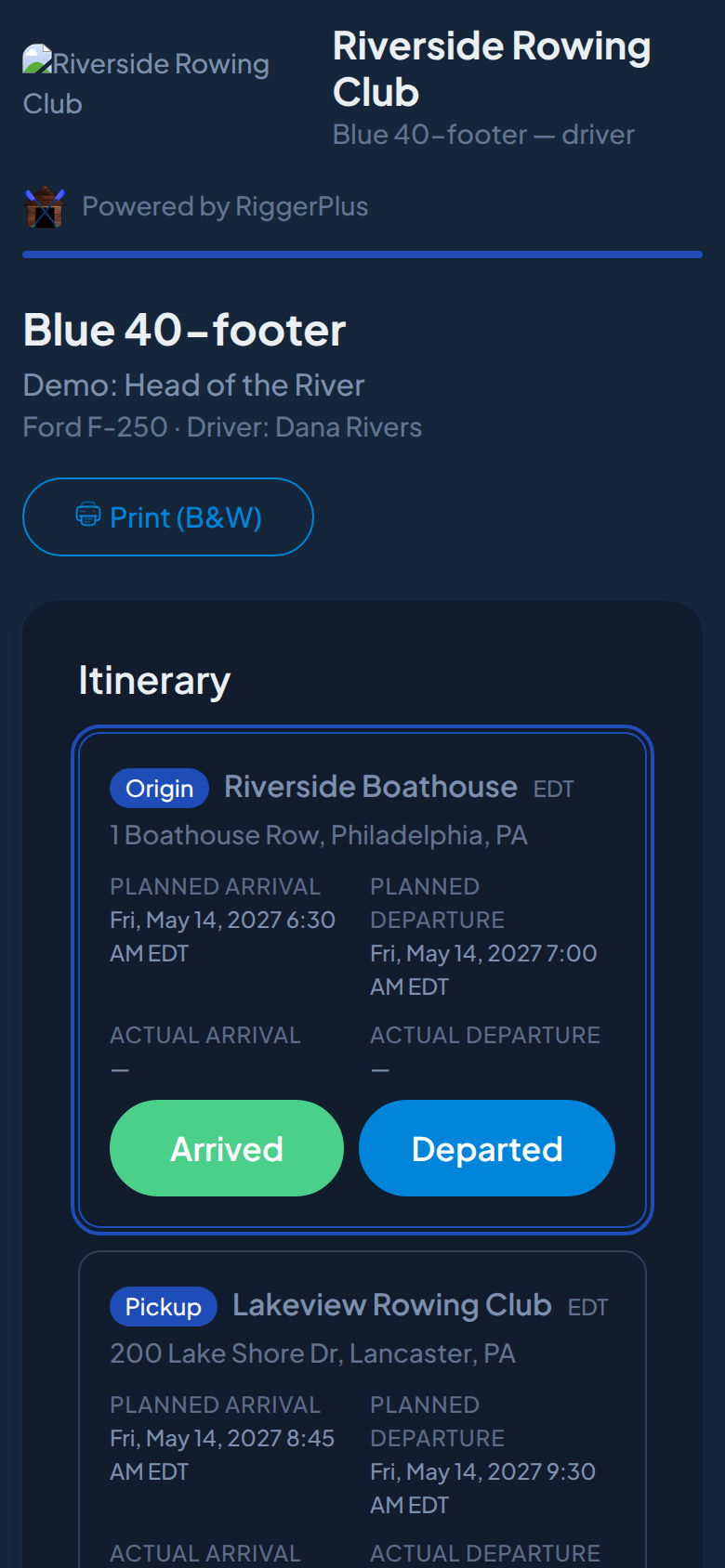
Built for a phone on the dashboard:
- Current leg with the next stop, planned arrival and the chosen route; the diagram for this leg's load.
- Arrived / Departed buttons per stop. They stamp the actual time, advance the current leg and show up as Driver activity on the share page. Both can be undone.
- Loading checklist — for each cargo stop, the boats and items that go on or off at that stop with a tick box per line (loaded at the start, unloaded at the destination). Ticks record who and when.
- Call links for the trip planner and the other drivers, and the plate of the tow vehicle if you chose to show it.
Updates are rate-limited per link and refused once the trip is completed or cancelled.
ETAs on the driver page are the planned schedule. Recording an early or late departure does not re-schedule the following stops yet — re-plan in the route planner if the day shifts a lot.
Diagrams for the lot
Render on the Share & diagrams page produces stored files — a side view per trailer and leg plus a top-down per row — as SVG and PNG, versioned so an old link keeps its image. Each tile tells you if a file is stale (the plan changed since) or pending (the last render failed), and Render only redoes what changed unless you force it.
Print the black-and-white side view and tape it to the trailer: it carries the hull names in each slot, the bow direction, posts and axles, and the leg it applies to. The public page and driver links use the same files, so what the driver sees is what is on the clipboard.
Status
A trip moves draft → planned → departed → completed (or cancelled). Cancelled trips refuse every edit until the status is changed back; completed trips keep the driver pages readable but read-only. The dashboard lists trips under their regattas, upcoming first.